
In today’s digital world, identity has become the new security perimeter. So, what is Microsoft Entra ID? It is Microsoft’s cloud-based identity and access management service that helps organizations authenticate users, control access to applications, and protect resources in cloud-first and hybrid environments
Traditional security models were built around physical boundaries—office networks, on-premises servers, and trusted internal environments. If a user or device was inside the network, it was generally trusted. That assumption no longer holds true.
Modern organizations operate in a very different reality. Employees work from home, cafés, airports, and client sites. Applications live in the cloud, and data moves constantly across devices and locations. In such environments, the network itself can no longer act as the primary control point.
Read this for better understanding: What Is Cloud Computing?
Explore category: Cloud Computing
What remains constant is identity.
Every access request—opening email, signing into an application, or performing an administrative task—begins with the same questions: Who is making the request? What are they allowed to access? And under what conditions should access be granted?
Identity answers these questions by evaluating not just credentials, but context—such as role, device status, location, and risk. Security decisions are no longer static; they are continuous and adaptive.
This is why identity now sits at the center of modern security architectures. Instead of trusting networks, organizations verify each sign-in and access request based on identity-driven signals.
Microsoft Entra ID exists to enable this model. It provides a centralized identity platform to authenticate users, enforce access policies, and protect resources consistently across cloud and hybrid environments. When the network boundary disappears, identity becomes the boundary—and Entra ID is designed to secure it at scale.
Table of Contents
Understanding What Is Microsoft Entra ID
Microsoft Entra ID is Microsoft’s cloud-based identity and access management (IAM) service. It acts as the central identity system for modern organizations, enabling them to manage users, control access to applications, and secure identities across cloud, hybrid, and on-premises environments.
Unlike traditional directory services that were designed primarily for internal networks, Entra ID is built for a world where users, devices, and applications are distributed. It provides a unified identity platform that works consistently whether resources are hosted in Microsoft Azure, delivered as SaaS applications, or connected to on-premises infrastructure.
If you are familiar with Azure Active Directory (Azure AD), Microsoft Entra ID is its new name — but it represents more than a rebranding. It reflects Microsoft’s broader vision of identity as a foundational security layer. Entra ID is part of the Microsoft Entra family, which brings together identity, permissions management, and governance under a single conceptual framework focused on zero trust and modern security principles.
At its core, Microsoft Entra ID exists to answer three fundamental questions that every secure system must resolve:
- Who are you?
Authentication — verifying the identity of a user, device, or application. - What can you access?
Authorization — determining which resources, applications, or actions an identity is allowed to use. - Under what conditions?
Security controls — evaluating context such as location, device compliance, risk level, and sign-in behavior before granting access.
By continuously evaluating these three dimensions, Microsoft Entra ID allows organizations to move away from static, trust-based access models and toward adaptive, identity-driven security. Access is not granted simply because a user exists, but because the identity meets defined security requirements at the moment access is requested.
This makes Microsoft Entra ID a cornerstone of modern cloud security and a critical service for any organization operating beyond traditional network boundaries.
Why Identity Matters More Than Ever
Traditional security models were built around a simple assumption: anything inside the corporate network could be trusted. Firewalls, VPNs, and internal access controls formed a clear boundary between “inside” and “outside” the organization. Once users crossed that boundary, they were often granted broad access with minimal additional checks.
That assumption no longer holds true.
Modern IT environments are highly distributed. Employees work remotely or in hybrid setups, accessing corporate resources from home networks, personal devices, and public connections. Business-critical applications are increasingly delivered as cloud-based services (SaaS) rather than hosted on internal servers. Data flows continuously between users, devices, and services that may never touch a traditional corporate network.
At the same time, organizations face new and growing risks, including:
- Remote and hybrid work, where users sign in from diverse locations and networks
- Cloud-based applications (SaaS) that rely on internet-facing authentication
- Bring Your Own Device (BYOD) policies, where device trust cannot be assumed
- Increasing identity-based attacks, such as phishing, credential theft, and token abuse
In this environment, the network perimeter has effectively disappeared. Attackers no longer need to breach a firewall if they can compromise an identity. As a result, identity has become the primary attack surface — and therefore the primary defense.
This shift has fundamentally changed how security must be designed. Instead of trusting users because of where they connect from, modern security models continuously verify who is requesting access, what they are trying to access, and under what conditions that access should be allowed.
Microsoft Entra ID is designed to support this identity-first, zero trust approach. It enables organizations to apply consistent access controls, assess risk in real time, and enforce security policies based on identity and context rather than network location.
In a world where boundaries are fluid and threats are persistent, securing identity is no longer optional — it is essential.
Key Capabilities of Microsoft Entra ID
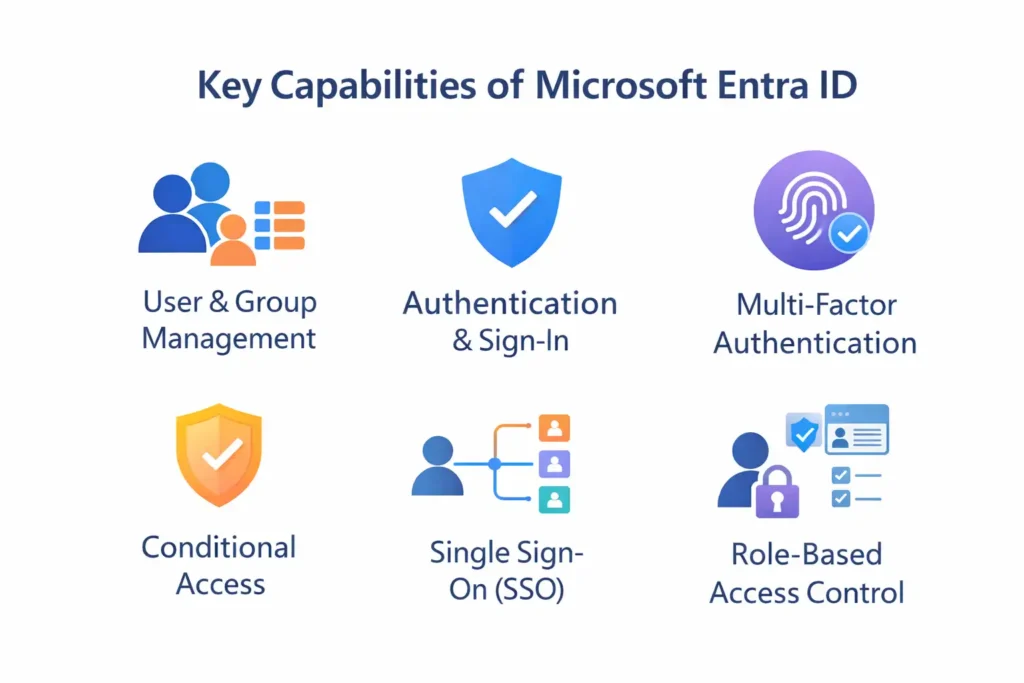
Microsoft Entra ID provides a comprehensive set of identity and access management (IAM) capabilities designed for modern, cloud-first environments. These features work together to help organizations manage identities securely, control access to resources, and reduce the risk of unauthorized access.
Below are the most important capabilities you should understand.
User and Group Management
Microsoft Entra ID allows organizations to create and manage identities centrally. This includes:
- Users, either cloud-only or synchronized from on-premises Active Directory in hybrid environments
- Security groups and Microsoft 365 groups for access control and collaboration
- Guest users for external access and B2B collaboration
Once created, these identities can be used consistently across Microsoft services and thousands of third-party applications. This centralized approach simplifies identity lifecycle management and ensures access policies are applied uniformly.
Authentication and Sign-In
Microsoft Entra ID is responsible for authenticating users when they sign in to applications and services, including:
- Microsoft 365
- Azure services
- Thousands of SaaS applications
- Custom enterprise applications
To support modern application architectures, Entra ID uses industry-standard authentication protocols such as:
- OAuth 2.0
- OpenID Connect
- SAML
These protocols enable secure, token-based authentication and eliminate the need for legacy, password-only sign-in methods.
Multi-Factor Authentication (MFA)
Passwords alone are no longer sufficient to protect user accounts.
Microsoft Entra ID supports Multi-Factor Authentication (MFA), which adds an additional layer of security by requiring at least one extra verification factor:
- Something you know — such as a password or PIN
- Something you have — such as a phone or authenticator app
- Something you are — such as biometric verification
By requiring multiple factors, MFA significantly reduces the risk of account compromise, even if a password is stolen through phishing or credential leaks.
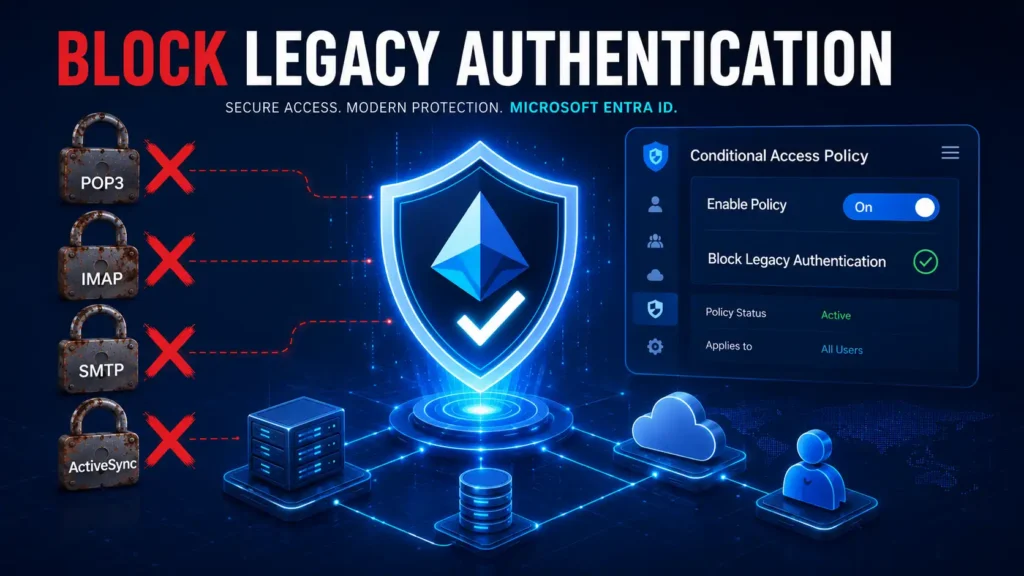
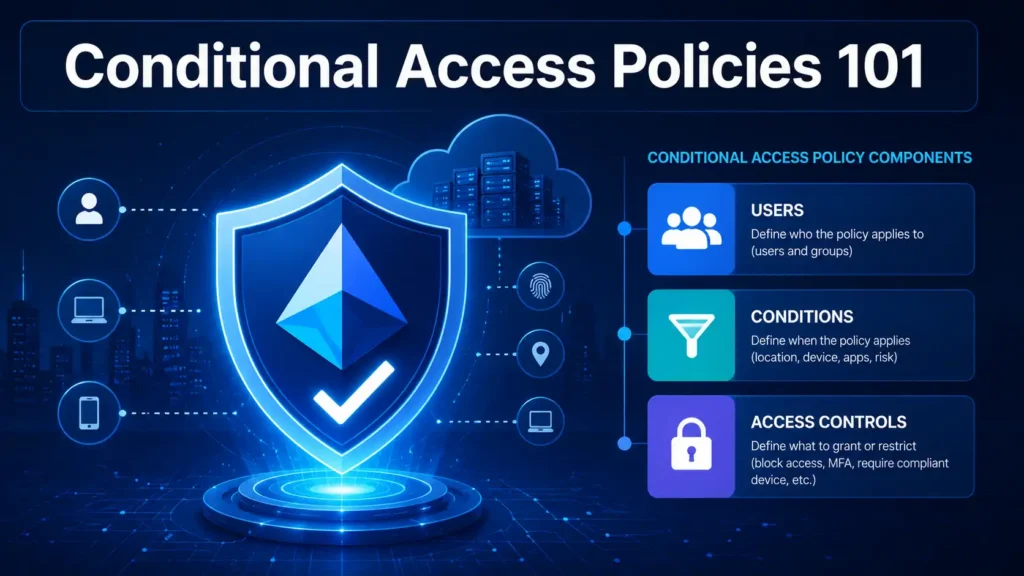
Conditional Access
Conditional Access is one of the most powerful and defining features of Microsoft Entra ID.
It allows organizations to enforce access policies dynamically, based on conditions such as:
- User or group membership
- Device compliance or management status
- Sign-in location
- Target application
- User or sign-in risk level
For example, organizations can:
- Require MFA when users sign in from outside trusted locations
- Block access from high-risk or unfamiliar regions
- Allow access only from compliant or managed devices
Instead of applying static rules, Conditional Access evaluates context in real time, enabling adaptive and risk-based security decisions.
Single Sign-On (SSO)
With Microsoft Entra ID, users can authenticate once and access multiple applications without repeatedly entering credentials.
Single Sign-On improves:
- User experience by reducing sign-in friction
- Productivity by minimizing interruptions
- Security by reducing password reuse across applications
SSO also simplifies application onboarding for IT teams, as authentication and access control are handled centrally.
Role-Based Access Control (RBAC)
Administrative access in Microsoft Entra ID is governed through Role-Based Access Control (RBAC).
Instead of granting full administrative privileges, organizations can assign specific roles such as:
- Global Reader
- User Administrator
- Security Administrator
- Application Administrator
Each role provides only the permissions required to perform assigned tasks. This approach follows the principle of least privilege, reducing the risk of accidental misconfiguration or misuse of administrative access.
Together, these capabilities make Microsoft Entra ID a foundational service for securing identities, enforcing access controls, and supporting modern cloud and hybrid environments.
Microsoft Entra ID vs Active Directory
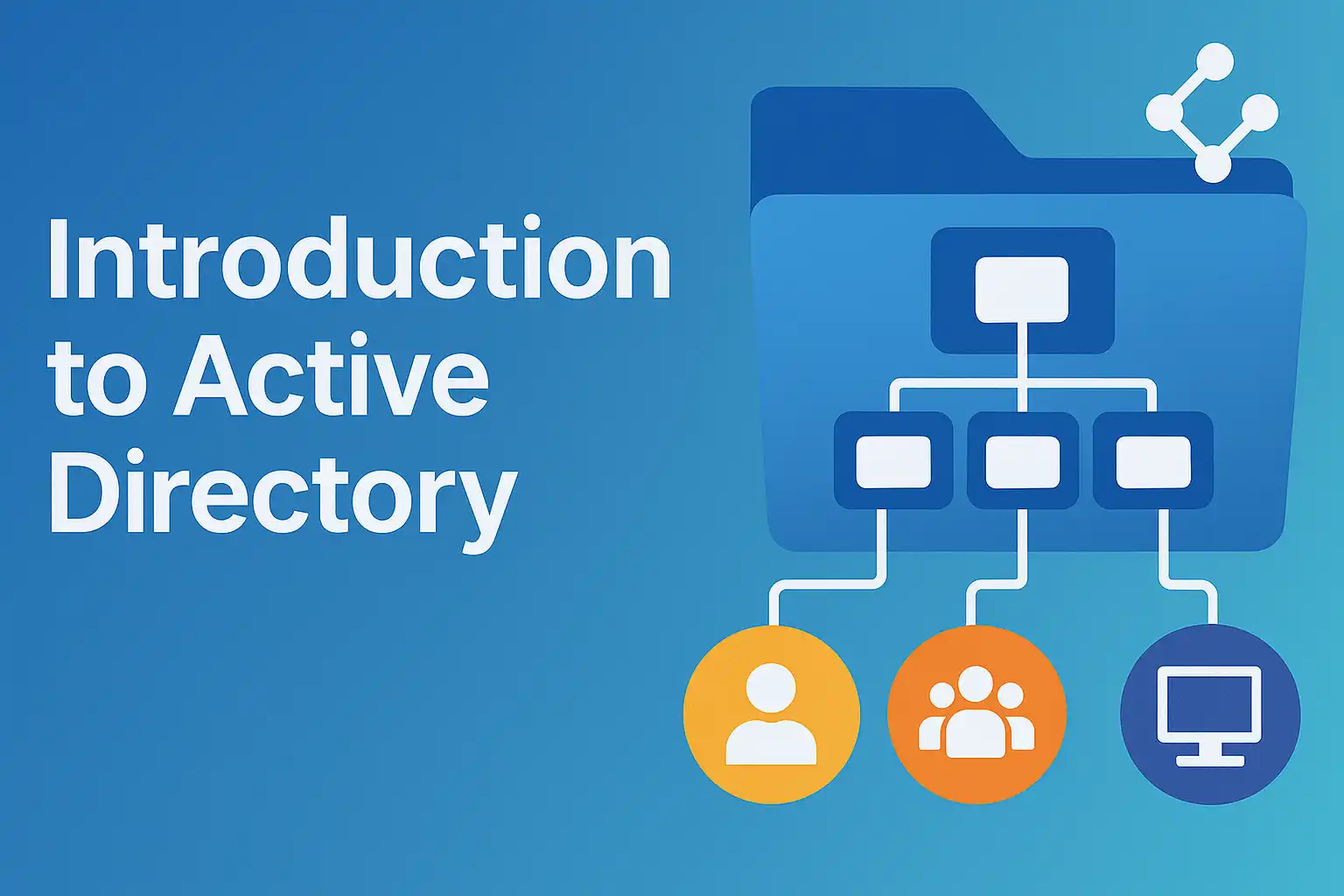
Many organizations still rely on on-premises Active Directory (AD) to manage users, computers, and access to internal resources. While Active Directory and Microsoft Entra ID sound similar and serve related purposes, they are designed for very different environments.
Understanding this distinction is essential for anyone working in modern IT.
Core Difference in Design Philosophy
Active Directory was built for a time when:
- Applications lived inside corporate networks
- Devices were domain-joined and physically managed
- Security was enforced primarily at the network level
Microsoft Entra ID, on the other hand, is designed for:
- Cloud-hosted applications
- Internet-based authentication
- Remote and mobile users
- Identity-driven security models
In short, Active Directory is network-centric, while Entra ID is identity-centric.
Key Differences at a Glance
| Active Directory | Microsoft Entra ID |
|---|---|
| On-premises directory service | Cloud-based identity service |
| Uses Kerberos and NTLM | Uses OAuth, SAML, OpenID Connect |
| Designed for domain-joined devices | Designed for cloud and hybrid devices |
| Relies on network trust | Relies on identity and access policies |
| Best suited for internal resources | Best suited for SaaS and cloud apps |
Authentication and Access
Active Directory authenticates users primarily within a trusted network boundary. Once authenticated, users often gain broad access to internal resources.
Microsoft Entra ID authenticates users over the internet and evaluates contextual signals such as location, device compliance, and risk before granting access. This allows for more granular and adaptive access control.
Devices and Applications
Active Directory works best with:
- Windows domain-joined computers
- On-premises applications and file servers
Microsoft Entra ID supports:
- Cloud-managed and hybrid devices
- SaaS applications
- Modern authentication for custom apps
This makes Entra ID better suited for organizations adopting cloud-first strategies.
The Hybrid Identity Model
Most modern organizations do not replace Active Directory overnight. Instead, they adopt a hybrid identity model, where on-premises Active Directory continues to manage local resources, while Microsoft Entra ID handles cloud authentication and access.
In this model:
- User identities are synchronized from Active Directory to Entra ID
- Users sign in with the same credentials on-premises and in the cloud
- Organizations benefit from both legacy compatibility and modern security controls
Hybrid identity provides a practical bridge between traditional IT environments and cloud-native architectures.
Why This Comparison Matters
Confusing Active Directory with Microsoft Entra ID can lead to incorrect expectations. Entra ID is not a cloud replacement for domain controllers, and Active Directory is not designed to secure cloud applications.
Each serves a distinct purpose — and together, they form the backbone of identity management in most enterprise environments today.
Explore Active Directory Tutorial for better understanding.
Where Is Microsoft Entra ID Used?
You are likely using Microsoft Entra ID already, even if you have never interacted with it directly.
At its core, Entra ID functions as the authentication and access backbone for many of the services organizations rely on every day. Whenever a user signs in, Entra ID is often the system validating that identity and deciding whether access should be allowed.
Microsoft Entra ID is commonly used with:
- Microsoft 365, where it manages user sign-ins for services like email, collaboration, and document sharing
- Microsoft Azure, providing identity-based access to cloud resources and management portals
- Microsoft Teams, controlling user access, meeting security, and guest collaboration
- SharePoint Online, securing documents and sites through identity-driven permissions
- Microsoft Intune, enforcing device-based access and compliance policies
Beyond Microsoft’s own ecosystem, Entra ID integrates with thousands of third-party SaaS applications, including platforms such as Salesforce, ServiceNow, and Zoom. In these scenarios, Entra ID enables single sign-on, centralized access control, and consistent security policies across applications from different vendors.
What makes this especially powerful is that users do not need separate usernames and passwords for each service. A single identity, managed in Entra ID, becomes the trusted entry point for multiple platforms.
Even outside enterprise environments, personal Microsoft accounts rely on many of the same identity concepts—authentication, tokens, conditional checks, and access scopes—demonstrating how deeply identity services are embedded in modern digital experiences.
In practice, Microsoft Entra ID operates quietly in the background. Users simply sign in and get access, while Entra ID continuously evaluates identity, context, and policy to ensure that access remains secure.
Microsoft Entra ID Licensing (Brief Overview)
Premium P1 builds on the Free edition by adding features designed for modern enterprise environments, such as:
- Conditional Access for policy-based access control
- Support for hybrid identity scenarios
- Self-service password reset for users
- Group-based access management
P1 is ideal for organizations that need stronger control over how and when users access resources, especially in hybrid or remote work environments.
Entra ID Premium P2
Premium P2 includes all P1 capabilities and adds advanced security and governance features, including:
- Identity Protection, which detects and responds to risky sign-ins and compromised accounts
- Privileged Identity Management (PIM) for just-in-time administrative access
- Advanced risk-based access policies
This edition is designed for organizations with higher security, regulatory, or compliance requirements, where protecting privileged accounts and detecting identity-based threats is critical.
Choosing the Right License
The right Entra ID license depends on:
- The size and complexity of your organization
- Whether you operate in a cloud-only or hybrid environment
- Your security and compliance requirements
- The level of control needed over privileged access
Many organizations start with the Free or P1 edition and adopt P2 as their identity security maturity increases.
Why Learn Microsoft Entra ID?
Learning Microsoft Entra ID is no longer optional for IT professionals working in modern environments. As organizations move to cloud and hybrid models, identity has become the foundation on which security, access, and compliance are built.
There are several compelling reasons to invest time in learning Entra ID.
Identity Skills Are in High Demand
Cybersecurity threats increasingly target identities rather than infrastructure. As a result, organizations are actively seeking professionals who understand identity-based security, access controls, and modern authentication models.
Skills related to Entra ID are in demand across:
- Enterprise IT teams
- Cloud and security operations
- Consulting and managed services
Professionals with strong identity knowledge are often involved in critical security decisions and long-term architecture planning.
Central to Microsoft Cloud Security
Microsoft Entra ID sits at the center of the Microsoft cloud ecosystem. It underpins access to:
- Microsoft 365
- Azure resources
- Endpoint management
- SaaS applications
Understanding Entra ID means understanding how security is enforced across the entire Microsoft cloud stack. Without identity, services like Conditional Access, MFA, and Zero Trust cannot function effectively.
Required for Key IT Roles
Microsoft Entra ID is foundational knowledge for several modern IT and security roles, including:
- Identity Administrator, responsible for managing users, access policies, and identity governance
- Cloud Administrator, who secures access to cloud resources and services
- Security Engineer, who designs and enforces identity-based security controls
In many organizations, identity administrators work closely with security and cloud teams, making Entra ID a cross-functional skill.
Core Component of Professional Certifications
Microsoft Entra ID is a major focus of certifications such as SC-300, which validates skills in identity and access management using Microsoft technologies.
Preparing for such certifications requires hands-on understanding of Entra ID concepts, configurations, and security practices. Learning Entra ID therefore supports both career growth and formal credentialing.
Long-Term Career Value
Unlike tools that change frequently, identity fundamentals remain relevant as technology evolves. Understanding Entra ID builds long-term skills in:
- Authentication and authorization
- Access governance
- Security architecture
These concepts apply beyond Microsoft’s ecosystem and form a strong foundation for a career in cloud and cybersecurity.
What’s Next?
This article introduced what Microsoft Entra ID is and why it matters.
In the next posts, we will dive deeper into:
- User accounts in Entra ID
- Groups and access management
- Dynamic groups
- Multi-Factor Authentication
- Conditional Access policies
- Single Sign-On and application integration
Understanding Entra ID step by step will give you a strong foundation in modern identity and access management.
Final Note
Identity is no longer just about logging in.
It is about trust, control, and security in a cloud-first world.
Microsoft Entra ID sits at the heart of that transformation.
BYQUS YOUTUBE CHANNEL
🎥 Learn Visually on Our YouTube Channel
Watch detailed video tutorials on Microsoft 365, Entra ID, Azure, and Active Directory directly on our BYQUS YouTube Channel. Get real-world demonstrations, Hindi explanations, and step-by-step guidance from actual admin environments.
📌 Subscribe now and never miss a new IT tutorial — from cloud configuration to troubleshooting and interview preparation.
Pingback: Top 15 Microsoft Entra ID Interview Questions and Answers (Intermediate Level) - BYQUS