So, a simple but tricky question: What Is Cloud Computing? Before organizations moved to the cloud, most applications, servers, and data lived inside company offices or privately owned data centers. Companies had to purchase physical hardware, maintain cooling and power systems, and plan capacity months or even years in advance. Scaling infrastructure meant buying more servers, installing them manually, and accepting long provisioning times and high upfront costs.
This traditional model was not only expensive, but also inflexible. Infrastructure was tightly bound to physical locations, making it difficult to support rapid growth, global operations, or remote work. Maintenance, upgrades, and disaster recovery required significant time, effort, and specialized expertise.
Cloud computing changed all of that.
Instead of owning and managing physical infrastructure, organizations can now access computing resources—such as servers, storage, databases, and applications—over the internet. These resources are delivered on demand by cloud providers and can be scaled up or down as needed, often within minutes.
With cloud computing, infrastructure becomes a service rather than a fixed asset. Organizations pay for what they use, deploy applications faster, and focus more on innovation and business outcomes rather than hardware management. This shift has transformed how modern IT environments are designed, operated, and secured, laying the foundation for today’s cloud-first and hybrid architectures.
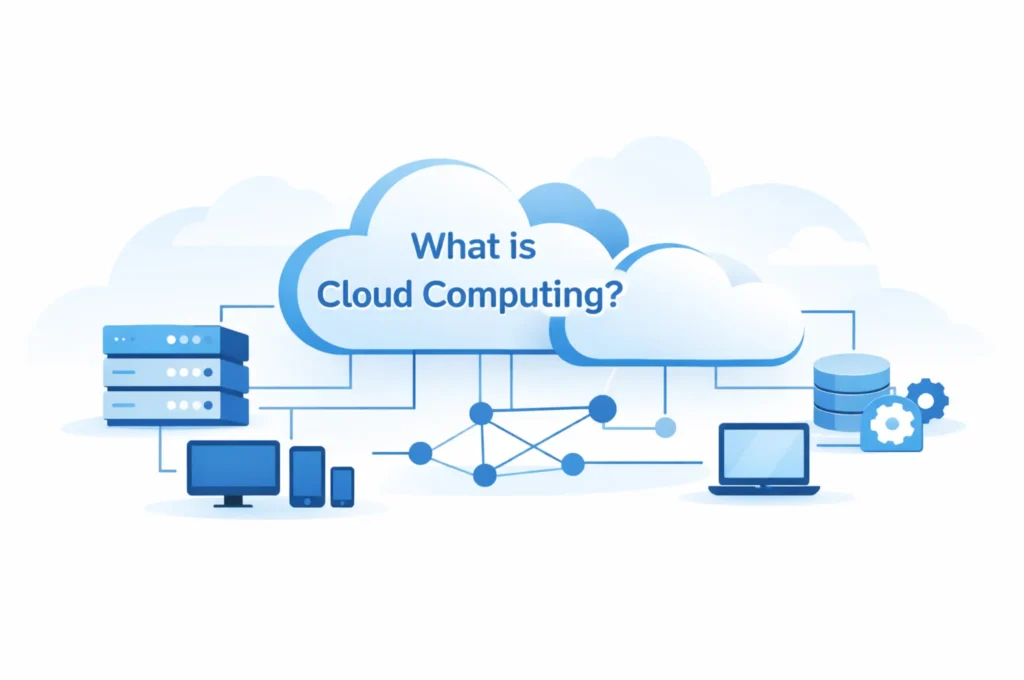
Table of Contents
Understanding What Is Cloud Computing
Cloud computing refers to the delivery of computing services—such as servers, storage, databases, networking, software, and analytics—over the internet rather than running them on local machines or on-premises data centers.
In a traditional setup, organizations must purchase physical hardware, install operating systems, manage updates, and maintain the infrastructure themselves. This approach requires significant upfront investment, ongoing maintenance, and careful capacity planning.
With cloud computing, this responsibility shifts to cloud service providers. Instead of owning and maintaining physical infrastructure, organizations rent computing resources on demand. These resources can be provisioned, scaled, or decommissioned quickly, often within minutes, based on business needs.
A key advantage of this model is pay-as-you-go pricing. Organizations pay only for the computing power, storage, or services they actually use, rather than investing in hardware that may remain underutilized. This flexibility allows businesses to respond faster to changing demands while reducing operational overhead.
By abstracting away the underlying infrastructure, cloud computing enables organizations to focus more on building applications, delivering services, and achieving business goals—rather than managing servers and data centers.
Why Cloud Computing Exists
Traditional IT environments were built around physical infrastructure hosted in company-owned data centers. While this model worked for many years, it introduced several limitations that made it increasingly unsuitable for modern business needs.
Organizations operating traditional environments often faced challenges such as:
- High upfront hardware costs, requiring large capital investments before systems could even be used
- Long provisioning times, where deploying new servers or applications could take weeks or months
- Limited scalability, making it difficult to respond quickly to growth or seasonal demand
- Complex maintenance and upgrades, including patching, hardware replacements, and disaster recovery planning
These limitations slowed innovation and tied IT capacity closely to physical infrastructure.
Cloud computing emerged to address these challenges by fundamentally changing how computing resources are delivered and consumed. Instead of being constrained by physical hardware, organizations gain access to flexible, service-based infrastructure.
Cloud computing solves these problems by offering:
- On-demand resources, allowing systems to be deployed or removed within minutes
- Elastic scalability, enabling environments to scale up or down automatically based on demand
- Global availability, with services accessible from multiple regions around the world
- Built-in redundancy, reducing the impact of hardware failures and improving reliability
By removing the friction associated with traditional infrastructure, cloud computing allows organizations to move faster, operate more efficiently, and focus on delivering value rather than managing hardware.
Key Characteristics of Cloud Computing
Cloud computing is defined by a set of core characteristics that distinguish it from traditional on-premises IT environments. These characteristics enable flexibility, efficiency, and scalability at a level that was previously difficult to achieve.
On-Demand Self-Service
Cloud computing allows organizations to provision and deprovision resources automatically, without manual intervention from the service provider.
Servers, storage, and services can be created or removed within minutes through management portals, APIs, or automation tools. This enables faster deployment, reduces operational delays, and allows IT teams to respond quickly to changing business requirements.
Scalability and Elasticity
One of the defining features of cloud computing is its ability to scale.
Systems can scale up during periods of high demand to maintain performance and scale down when demand drops, ensuring efficient resource usage. This elasticity helps organizations handle unpredictable workloads without over-provisioning infrastructure.
Pay-As-You-Go Pricing
Cloud computing follows a consumption-based pricing model.
Instead of purchasing hardware upfront, organizations pay only for the computing resources they actually use. This model reduces capital expenditure and allows costs to align more closely with actual usage, making IT spending more predictable and efficient.
Global Accessibility
Cloud-based applications and data can be accessed securely from anywhere with an internet connection.
This global accessibility supports remote work, distributed teams, and international operations, while centralized security and identity controls ensure consistent access policies regardless of location.
Together, these characteristics make cloud computing a foundational technology for modern digital environments and a key enabler of cloud-first and hybrid strategies.
Cloud Service Models
Cloud services are typically divided into three main service models, based on how much control the customer has over the infrastructure and how much responsibility is handled by the cloud provider.
Understanding these models helps clarify what you manage and what the cloud provider manages.
Infrastructure as a Service (IaaS)
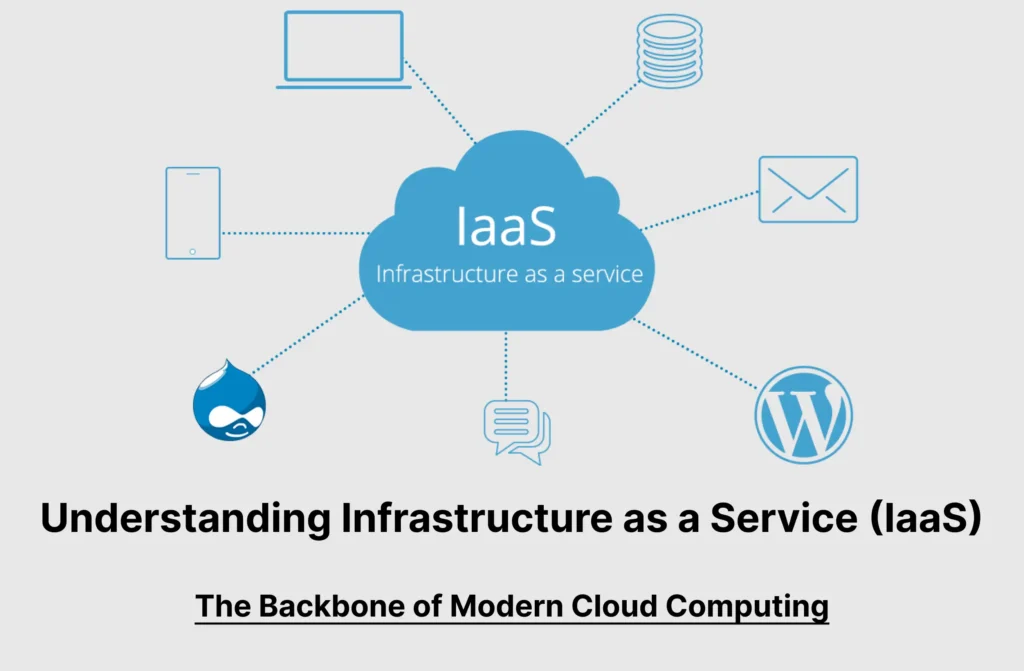
Infrastructure as a Service (IaaS) provides the basic building blocks of computing infrastructure, delivered virtually over the internet.
With IaaS, cloud providers supply:
- Virtual machines
- Storage
- Networking components
Examples include:
- Virtual servers used to host applications
- Load balancers to distribute traffic
- Virtual networks to control connectivity
In this model, the cloud provider manages the physical hardware, while the customer is responsible for:
- Operating systems
- Applications
- Data
- Security configurations
IaaS offers the greatest level of flexibility and control and is often used when organizations want cloud scalability without giving up control over system configuration.
Platform as a Service (PaaS)
Platform as a Service (PaaS) builds on IaaS by providing a ready-to-use platform for developing, deploying, and managing applications.
With PaaS, the cloud provider manages:
- Infrastructure
- Operating systems
- Runtime environments
- Platform updates and patching
Examples include:
- Web application hosting platforms
- Managed databases
Developers focus only on:
- Writing application code
- Managing application logic and data
PaaS reduces operational complexity and allows teams to deploy applications faster without worrying about server management.
Software as a Service (SaaS)
Software as a Service (SaaS) delivers complete software applications over the internet.
In this model, the cloud provider manages everything:
- Infrastructure
- Platform
- Application maintenance and updates
Examples include:
- Email services
- Collaboration tools
- Customer Relationship Management (CRM) systems
Microsoft 365 is a well-known example of SaaS, where users access fully managed applications through a browser or client app without managing servers or infrastructure.
How These Models Compare
As you move from IaaS → PaaS → SaaS:
- Customer control decreases
- Provider responsibility increases
- Operational complexity is reduced
Each model serves different use cases, and most organizations use a combination of all three depending on their requirements.
Public, Private, and Hybrid Cloud Models
Cloud computing can be deployed in different ways depending on an organization’s security, compliance, and operational requirements. The three most common deployment models are public cloud, private cloud, and hybrid cloud.
Public Cloud
In the public cloud model, computing services are hosted by a cloud provider and shared across multiple customers.
The cloud provider owns and manages the infrastructure, while customers access resources over the internet. Although infrastructure is shared, each customer’s data and workloads are logically isolated.
Public cloud is commonly used for:
- Cloud-based applications and services
- Scalable workloads with variable demand
- Rapid deployment and innovation
This model offers high scalability, cost efficiency, and global reach, making it ideal for many modern workloads.
Private Cloud
A private cloud is cloud infrastructure dedicated to a single organization.
It can be hosted:
- On-premises in a company’s own data center, or
- By a third-party provider in a dedicated environment
Private clouds provide greater control over infrastructure, security, and compliance. They are often used for:
- Highly sensitive data
- Regulatory or compliance-driven workloads
- Legacy applications that require dedicated environments
While private clouds offer increased control, they typically involve higher costs and management effort compared to public cloud services.
Hybrid Cloud
A hybrid cloud combines on-premises systems or private cloud infrastructure with public cloud services, allowing them to work together as a unified environment.
In a hybrid model:
- Some workloads remain on-premises
- Others run in the public cloud
- Data and identities are shared across environments
This approach allows organizations to modernize gradually, leveraging cloud scalability while retaining existing systems.
Most enterprises today operate in a hybrid cloud model, as it provides flexibility, supports legacy infrastructure, and enables a smoother transition to cloud-first architectures.
Understanding these deployment models helps explain why identity and access management—particularly cloud-based identity services—are critical to securing modern environments.
Security in the Cloud
A common misconception is that cloud computing is inherently less secure than traditional on-premises environments. In reality, cloud security is based on a shared responsibility model, where security responsibilities are divided between the cloud provider and the customer.
Under this model:
- The cloud provider is responsible for securing the underlying infrastructure, including physical data centers, hardware, networking, and the core cloud platform services.
- The customer is responsible for securing what they put into the cloud, including identities, data, configurations, and access controls.
This division of responsibility is critical to understand. While cloud providers invest heavily in securing their infrastructure, they do not control how customers manage users, permissions, or access policies.
This is where identity becomes critical.
In cloud environments, security decisions are no longer enforced at a network boundary. Instead, access is granted based on who the user is, how they authenticate, and whether their access request meets defined security conditions. Compromised credentials can be just as damaging as a breached server—sometimes more so.
As a result, effective cloud security depends heavily on strong identity management, robust authentication mechanisms, and policy-based access controls. Services like Microsoft Entra ID play a central role in this model by helping organizations secure identities, enforce access policies, and protect resources across cloud and hybrid environments.
Cloud Computing and Identity
In traditional IT environments, security was closely tied to the network. If a user or device was connected to the corporate network—either physically or through a VPN—it was generally trusted. Firewalls and network boundaries acted as the primary security controls.
In cloud environments, that model no longer works.
Applications are no longer confined to a single network, and users access resources from multiple locations, devices, and networks. As a result, identity replaces the network perimeter as the primary security boundary.
Instead of relying on network location, cloud platforms evaluate:
- Who the user or application is
- How they authenticate
- What they are trying to access
- Under what conditions access should be allowed
Users, devices, and applications authenticate using cloud-based identity systems rather than local domain controllers. Access decisions are made dynamically, based on identity, context, and policy—not physical location.
This is why cloud platforms rely heavily on identity services like Microsoft Entra ID. Entra ID manages authentication, authorization, and access policies across cloud applications, services, and hybrid environments. It enables organizations to apply consistent security controls regardless of where users are located or which applications they use.
In a cloud-first world, securing infrastructure is no longer enough. Securing identity becomes the foundation of cloud security.
➡️ To explore this concept in depth, read:
What Is Microsoft Entra ID?
Real-World Examples of Cloud Computing
Cloud computing is not an abstract concept—it is part of everyday digital life. Most people interact with cloud-based services multiple times a day, often without realizing it.
You use cloud computing whenever you access:
- Web-based email, where messages are stored, processed, and delivered through cloud servers
- Online storage services, allowing files to be saved, synced, and accessed from any device
- Video streaming platforms, which scale automatically to deliver content to millions of users simultaneously
- Collaboration tools, enabling real-time communication, document sharing, and teamwork across locations
Behind the scenes, these services rely on scalable cloud infrastructure to handle fluctuating demand and ensure availability. They also depend on centralized identity systems to authenticate users, manage access, and protect data.
Every time you sign in, stream content, or collaborate online, cloud platforms are dynamically allocating resources and validating identities to deliver a seamless and secure experience. This combination of scalable infrastructure and identity-driven access is what makes modern digital services reliable, responsive, and accessible from anywhere.
Why Cloud Computing Matters Today
Cloud computing is no longer a future trend—it is a fundamental part of how modern organizations operate. As businesses become more distributed and technology-driven, the cloud provides the flexibility and scale required to keep up with changing demands.
Cloud computing enables:
- Remote and hybrid work, allowing employees to access applications and data securely from anywhere
- Faster innovation, by removing infrastructure barriers and enabling rapid development and deployment
- Global collaboration, connecting teams, customers, and partners across regions in real time
- Modern security models, where identity, context, and policy replace traditional network-based controls
Beyond technical advantages, cloud computing changes how organizations think about IT. Infrastructure becomes a service, scalability becomes standard, and security becomes adaptive rather than static.
Today, cloud computing is no longer optional or experimental. It is the foundation of modern IT, supporting everything from everyday productivity tools to enterprise-scale digital transformation.
What’s Next?
Now that you understand cloud computing, the next step is understanding how identities are managed and secured in the cloud.
That’s where Microsoft Entra ID comes in.
Final Thought
Cloud computing changed where systems run.
Identity determines who can access them.
Together, they form the backbone of modern digital infrastructure.
BYQUS YOUTUBE CHANNEL
🎥 Learn Visually on Our YouTube Channel
Watch detailed video tutorials on Microsoft 365, Entra ID, Azure, and Active Directory directly on our BYQUS YouTube Channel. Get real-world demonstrations, Hindi explanations, and step-by-step guidance from actual admin environments.
📌 Subscribe now and never miss a new IT tutorial — from cloud configuration to troubleshooting and interview preparation.